

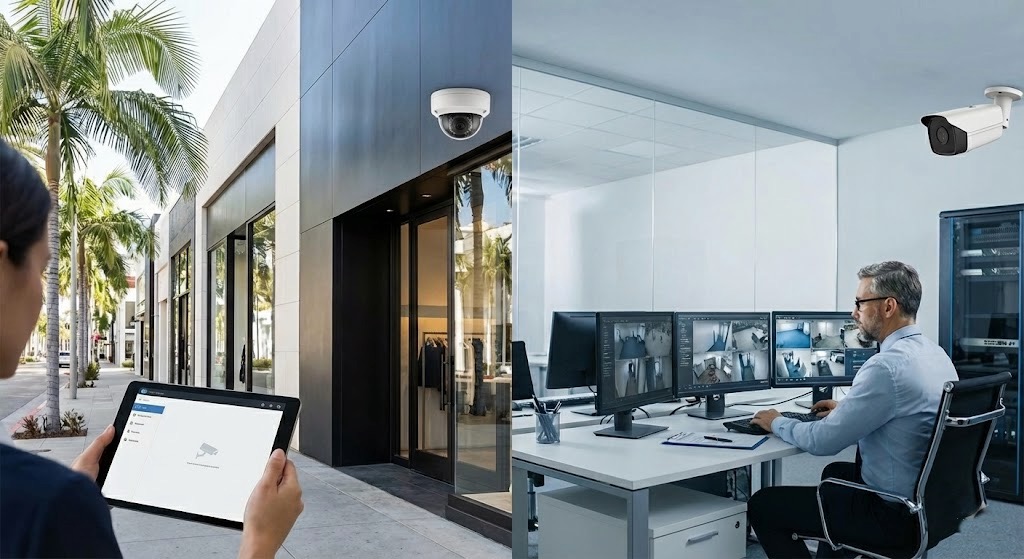
If you’re researching security camera installation Beverly Hills businesses can rely on, you’re probably balancing two priorities: preventing theft and protecting your business from liability claims.
The biggest decision most Beverly Hills retailers and office managers face is whether to install an NVR (Network Video Recorder) system or a cloud-based camera system. Both can deliver strong coverage—if the design, placement, and retention settings match how your business actually operates.
Below is a practical guide to choosing the right approach for your space, your internet, and your risk profile—plus what to ask your installer before you sign.
What Beverly Hills businesses need from a modern business CCTV system
Whether you run a boutique near Rodeo Drive, a professional office off Wilshire, or a small retail location serving West Hollywood and Santa Monica customers, your business CCTV system should do these things well:
- Capture usable identification footage (faces, license plates where applicable, key actions at point-of-sale).
- Provide reliable remote viewing security cameras access for owners and managers.
- Retain video long enough to match incident reporting timelines.
- Keep footage secure from tampering or unauthorized access.
- Continue recording during brief internet outages (depending on system type).
The “best” system is the one that records the right angles at the right quality, stores footage for the right duration, and stays online and secure.
NVR vs cloud security cameras: the real differences that matter
When clients compare NVR vs cloud security cameras, they often focus on price first. In practice, the decision should start with reliability, retention, and operational workflow.
NVR systems (local recording)
An NVR system records to a recorder on-site (often in a locked network closet). Cameras are typically wired (PoE Ethernet), which is a major reliability advantage.
Best for:
- Retail floors needing consistent recording 24/7.
- Offices that want longer retention without monthly storage fees.
- Businesses with limited or unstable internet.
- Owners who want maximum control over footage.
Pros:
- Strong reliability (wired cameras; not dependent on Wi‑Fi).
- Longer retention is easier/cheaper (add hard drive capacity).
- Footage stays local (good for privacy and control).
- Can keep recording even if internet drops.
Cons:
- Higher upfront cost (cabling + recorder + storage).
- On-site recorder must be physically secured.
- Remote access requires proper network configuration and security hardening.
Cloud systems (cloud recording, often Wi‑Fi or hybrid)
Cloud cameras upload video to an online platform, usually with a monthly subscription based on retention days and camera count.
Best for:
- Small offices with fewer cameras.
- Businesses that want simple management and fast deployment.
- Multi-location owners who want centralized access.
- Spaces where running cable is difficult (historic interiors, finished ceilings).
Pros:
- Quick to deploy and easy to manage.
- Off-site storage (less risk if equipment is stolen).
- Straightforward remote access and user permissions.
- Automatic updates (depending on vendor).
Cons:
- Ongoing monthly costs.
- Heavily dependent on internet upload speed and stability.
- Retention is tied to subscription tier.
- Wi‑Fi reliability can make or break performance.
Choosing based on your internet and building layout (a Beverly Hills reality check)
In Beverly Hills, we commonly see a mix of older buildings, high-end tenant improvements, and strict property rules. These realities affect camera design more than most people expect.
- Internet upload speed: Cloud recording needs consistent upload. If your ISP plan is optimized for download (common), cloud cameras may stutter or reduce quality during busy hours.
- Wi‑Fi congestion: Dense retail corridors and multi-tenant buildings can create interference. If you’re relying on Wi‑Fi cameras, you’ll need a Wi‑Fi design that can handle it.
- Cable pathways: If you can run Ethernet cleanly (above ceiling tiles, through conduit, or via approved pathways), PoE + NVR is usually the most stable long-term.
If you’re unsure, a hybrid approach is often ideal: wired PoE cameras with an NVR for continuous recording, plus secure remote access for owners and managers.
Video retention policies: how long should you keep footage?
Video retention policies should match how incidents are discovered and reported. Retail shrinkage isn’t always noticed same-day, and liability claims can surface later.
Common retention targets:
- 7–14 days: Very small offices, low incident frequency.
- 14–30 days: Many retail stores and professional offices.
- 30–90 days: Higher-risk environments, compliance-minded operations, or businesses with recurring disputes.
Retention depends on:
- Camera count.
- Resolution and frame rate.
- Motion vs continuous recording.
- Storage type (NVR drive capacity vs cloud plan).
Practical Rule: If you’ve ever said, “I wish we could go back another week,” your retention is too short.
Camera placement best practices for theft prevention and liability protection
Great hardware can still produce unusable footage if placement is wrong. These camera placement best practices are especially relevant for Beverly Hills retail and office environments:
- Entry/exit coverage: Capture faces at eye level where possible, not just the top of heads.
- Point-of-sale (POS): Cover registers and customer interaction zones; aim to capture hands, cash drawer activity, and transaction area.
- High-value displays: Jewelry, accessories, and premium inventory need dedicated angles.
- Stock rooms and delivery doors: Many losses happen away from the sales floor.
- Hallways and reception areas (offices): Useful for visitor verification and incident timelines.
- Parking and exterior: If you need vehicle identification, camera choice and angle matter (and lighting is critical).
Also plan for lighting changes. Bright storefront windows, glare, and nighttime reflections can wash out faces unless cameras and angles are selected correctly.
Checklist: what to confirm before you buy or upgrade cameras
Use this checklist when comparing proposals for a security camera installation Beverly Hills project:
- [ ] Define your goal: theft deterrence, incident documentation, or both.
- [ ] Decide retention target (e.g., 30 days) and confirm it in writing.
- [ ] Confirm recording type: continuous vs motion, and where it’s stored.
- [ ] Verify camera coverage map: entrances, POS, back-of-house, exterior.
- [ ] Confirm remote viewing: who gets access, and how accounts are secured.
- [ ] Plan network impact: bandwidth needs, VLAN/segmentation, Wi‑Fi capacity.
- [ ] Confirm power and backup: PoE switch sizing, UPS for recorder/network gear.
- [ ] Secure the recorder (if NVR): locked closet, restricted access, tamper alerts.
- [ ] Create a simple footage request process for managers (who pulls clips, how fast).
- [ ] Confirm privacy considerations (avoid recording areas that create unnecessary risk).
FAQ: NVR and cloud cameras for Beverly Hills retail and offices
Is NVR or cloud better for remote viewing security cameras?
Both can be excellent. Cloud is often simpler out of the box, while NVR remote access can be equally smooth when configured correctly. The key is secure access (unique logins, least-privilege permissions, and strong passwords).
Do cloud cameras still record if the internet goes out?
Some cloud cameras can record locally to an SD card or base station, but many lose full functionality during outages. If continuous recording is critical, an NVR (or a hybrid design) is usually safer.
How many cameras does a typical Beverly Hills retail store need?
It depends on layout, entrances, POS count, and high-value areas. Many small-to-midsize shops start in the 6–12 camera range, but a site walk is the only way to avoid blind spots and overbuying.
What resolution should I choose for a business CCTV system?
Higher resolution helps, but placement and lighting matter more. A well-placed camera at the right height can outperform a higher-resolution camera aimed poorly. Choose resolution based on identification needs (faces vs general activity) and storage/retention goals.
Can cameras slow down my office network?
Yes—especially cloud cameras and high-bitrate streams. Proper network design (wired where possible, adequate switching, and segmentation for camera traffic) prevents video from impacting POS systems, VoIP, or day-to-day business operations.
Get a camera system that fits your space—not a generic package
If you’re in Beverly Hills (or nearby in Los Angeles, West Hollywood, Santa Monica, Culver City, Glendale, Burbank, Pasadena, or Altadena) and want a camera system designed for real-world theft prevention and liability protection, Alta Layer can help you compare options and plan a clean install.
Alta Layer provides security camera planning and installation with practical guidance on NVR vs cloud security cameras, retention settings, network readiness, and placement.
Contact ALTA Layer to schedule a walkthrough and get a proposal that prioritizes coverage, clarity, and secure remote access—without paying for features you won’t use.

