

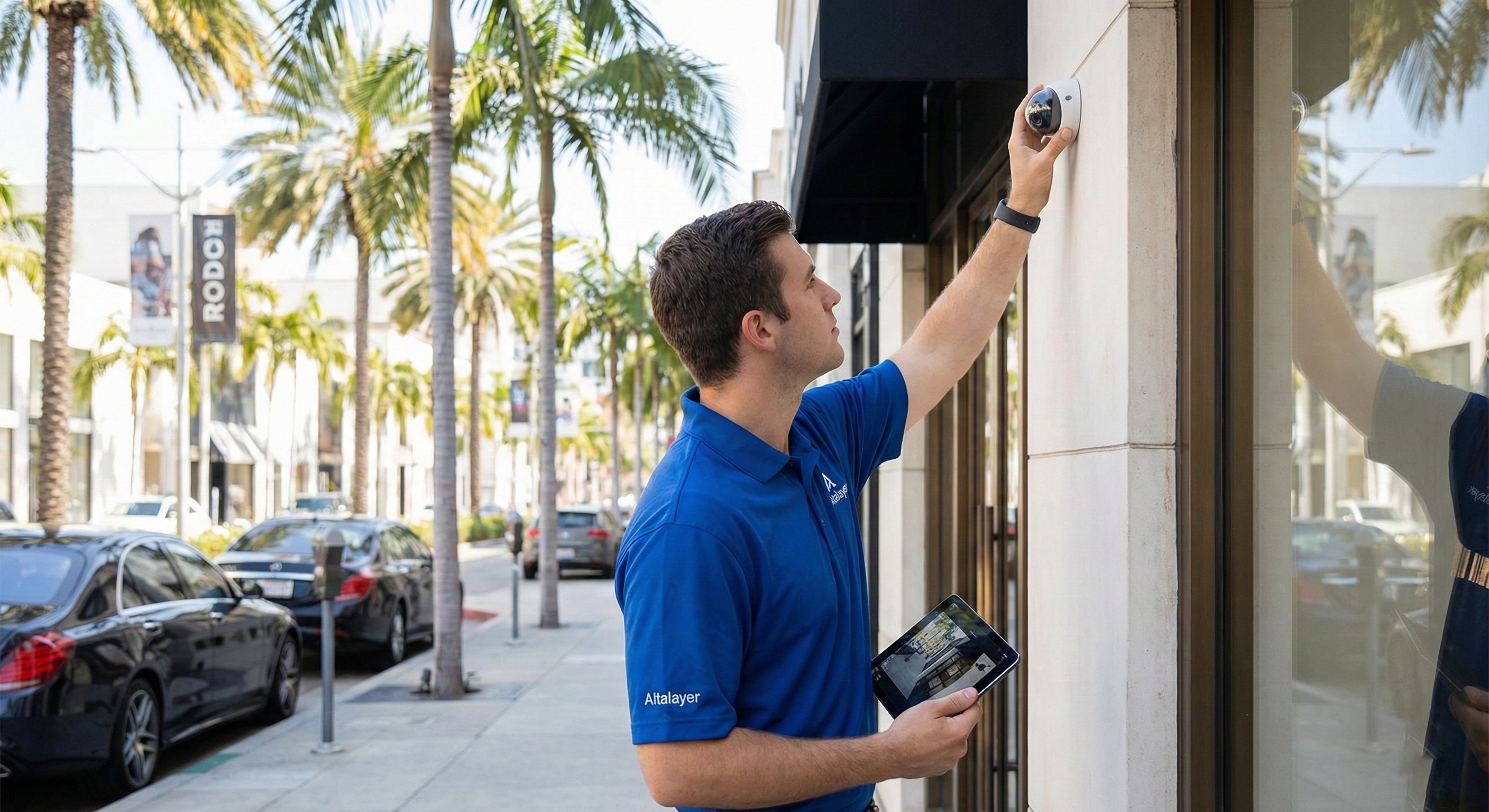
Choosing the right approach to security camera installation in Beverly Hills isn’t just about buying cameras—it’s about designing coverage that actually captures usable footage, stays online, and supports fast remote access when you need it most.
Whether you run a boutique on Rodeo-adjacent streets, a professional office near Wilshire, or a small warehouse serving Los Angeles, the best results come from planning: camera placement, network readiness, recording strategy, and ongoing maintenance.
Below are practical, field-tested best practices Alta Layer recommends for commercial CCTV deployments—especially for owners who want reliable coverage and simple remote viewing.
Start With a Coverage Plan (Not a Shopping Cart)
Before selecting hardware, map out what you need the system to do. A good plan reduces blind spots and prevents spending money on cameras that don’t solve your real risk.
Define your goals:
- Identify theft and suspicious activity at entrances/exits.
- Capture faces at eye level (not just the top of heads).
- Capture license plates in parking areas (requires specific camera specs and positioning).
- Monitor high-value areas: registers, safes, stock rooms, server/network closets.
- Provide remote visibility for owners/managers when offsite.
Walk the site like an incident investigator:
- Where would someone enter unnoticed?
- Where does cash or inventory change hands?
- Where are disputes likely (front counter, lobby, waiting room)?
- Where do you need coverage for employee safety?
This initial “camera story” drives everything else—lens selection, resolution, lighting needs, and recording retention.
Camera Placement for Retail and Offices: What Works in Real Life
Camera placement for retail and offices is the difference between “we have cameras” and “we have evidence.”
Best-practice placements:
- Front entrance (inside): Place a camera facing the door to capture faces as people enter. Avoid backlighting by using WDR (wide dynamic range) cameras or adjusting angles.
- Point of sale / reception: Aim for hands, cash drawer, and customer interaction area. A slightly lower mounting height improves identification.
- Sales floor / showroom: Use wider-angle coverage for general activity, then add targeted cameras for high-theft shelves or display cases.
- Back door / delivery entrance: These are common weak points. Cover both the door and the approach path.
- Hallways and interior doors: Useful for tracking movement between public and restricted areas.
- Parking and exterior perimeter: Place cameras under eaves where possible to reduce weather exposure and glare from sun.
Common Mistake: Avoid mounting cameras too high. While it covers more area, "top of head" footage is rarely useful for identifying suspects.
In Beverly Hills, many storefronts have glass-heavy façades and strong daytime glare. Planning for changing light conditions is essential to avoid washed-out footage.
Network and Power Fundamentals: PoE Camera Wiring Done Right
Most modern business-grade systems use PoE camera wiring (Power over Ethernet), which delivers power and data over a single cable. It’s cleaner, more reliable, and easier to protect with battery backup than scattered power adapters.
PoE best practices for small businesses:
- Use business-grade PoE switches (not the cheapest unmanaged option if you need stability and monitoring).
- Run quality cabling (Cat6 is common for new installs) and label every drop.
- Keep cable runs within recommended distance limits; use proper pathways and avoid interference sources.
- Put camera network gear on a UPS (battery backup) so cameras don’t drop during brief power events.
- Segment cameras on a VLAN when possible to reduce risk and keep video traffic from impacting office Wi‑Fi.
If your business relies on cloud apps, VoIP phones, or guest Wi‑Fi (common across Los Angeles and West Hollywood), a poorly planned camera network can create congestion. A quick network assessment before installation prevents “the cameras work but our internet is slow” issues.
NVR vs Cloud Cameras: How to Choose the Right Recording Model
The NVR vs cloud cameras decision impacts cost, reliability, and how quickly you can retrieve footage.
NVR (Network Video Recorder):
- Pros: Local recording continues even if internet goes down; often lower ongoing monthly costs; high control over video quality.
- Cons: Hardware must be secured (a thief can target it); storage needs careful planning.
Cloud Recording:
- Pros: Offsite storage is resilient if on-prem equipment is damaged; easier multi-site management; simple sharing of clips.
- Cons: Depends on stable upload bandwidth; ongoing subscription costs; some systems reduce quality to save bandwidth.
Practical rule of thumb: If you need guaranteed recording during internet outages and want maximum control, lean NVR. If you prioritize offsite resilience and easy management, consider cloud—or a hybrid setup (local + cloud backup) for high-risk areas.
Remote Viewing Setup: Secure Access Without Headaches
Owners often want to check cameras from a phone while traveling or after hours. A good remote viewing setup is secure, fast, and doesn’t require “IT heroics” every time someone gets a new device.
Remote viewing best practices:
- Use vendor-supported apps with strong authentication options.
- Enable multi-factor authentication (MFA) wherever available.
- Create user accounts per person (no shared admin logins).
- Limit permissions (e.g., managers can view, only admins can export/delete).
- Avoid risky port forwarding unless there’s a specific need and it’s properly secured.
- Keep firmware updated on cameras, NVRs, and gateways.
Camera System Maintenance: Keep Footage Usable
Camera system maintenance is what prevents the dreaded moment: “The camera was offline” or “The image is blurry” right when you need evidence.
Maintenance essentials:
- Clean lenses: Dust and smudges ruin night footage.
- Verify recording: Check for "storage full" errors or failed drives.
- Check timestamps: Incorrect time can make footage unusable for legal investigations.
- Test playback: Export a clip monthly to ensure the system actually works.
- Monitor for offline cameras: Set up alerts for intermittent connectivity.
For busy Beverly Hills businesses, proactive monitoring and scheduled checkups are often cheaper than emergency troubleshooting after an incident.
Checklist: Security Camera Installation Essentials
Use this checklist to sanity-check your project before and after installation:
- [ ] Identify high-priority zones: entrances, POS/reception, back door, inventory, parking.
- [ ] Choose camera types based on goals (faces vs wide coverage vs plates).
- [ ] Plan for daytime glare and nighttime lighting (WDR, proper placement).
- [ ] Confirm network readiness (bandwidth, switch capacity, VLAN option).
- [ ] Prefer PoE for reliability; label and document every cable run.
- [ ] Decide on NVR vs cloud (or hybrid) based on outage tolerance.
- [ ] Secure recording equipment (locked closet/rack; restrict access).
- [ ] Configure remote viewing with MFA and individual user accounts.
- [ ] Set retention policy and confirm storage meets it.
- [ ] Schedule maintenance: cleaning, updates, recording checks.
FAQ: Security Camera Installation for Beverly Hills Businesses
How many cameras does a small business typically need?
Most small offices and retail spaces start with 4–12 cameras depending on entrances, floor layout, and whether parking/exterior coverage is required. The right number comes from your coverage plan, not square footage alone.
What’s better for a business: NVR or cloud recording?
It depends on your priorities. NVR is strong for reliability during internet outages and can reduce monthly costs. Cloud is strong for offsite resilience and easier multi-location management. Many Beverly Hills businesses choose a hybrid approach for critical views.
Will security cameras slow down my Wi‑Fi or internet?
They can if the network isn’t designed properly. Using PoE wiring, a dedicated switch, VLAN segmentation, and appropriate bandwidth planning prevents video traffic from interfering with office connectivity.
Where should cameras be placed to capture faces clearly?
Place a dedicated camera at the entrance facing inward at an angle that avoids harsh backlight. For registers or reception, position cameras to capture face-level detail, not just overhead views.
How often should I maintain or test my camera system?
At minimum, do a monthly check of live view, playback, and exports, plus quarterly lens cleaning and firmware review. If your business is high-traffic or high-risk, more frequent checks are worthwhile.
Get Professional Security Camera Installation in Beverly Hills
If you want surveillance that’s reliable, secure, and easy to view remotely, Alta Layer can help design and install a camera system that fits your business—without disrupting daily operations.
We support Beverly Hills and nearby areas including Los Angeles, West Hollywood, Santa Monica, Culver City, Glendale, Pasadena, Burbank, and Altadena.
Contact Alta Layer to schedule a walkthrough and get a practical recommendation on camera placement, PoE wiring, NVR vs cloud cameras, remote viewing setup, and ongoing maintenance.

